How Much Does It Cost to Start a Blog in 2026?
If you’ve ever searched how much it costs to start a blog, you’ve probably found answers ranging from “almost free” to several thousand dollars.
The confusing part is that both answers can be technically correct.
You can start a basic blog with very little money. But if you start adding premium themes, plugins, email software, SEO tools, design subscriptions, courses, and other services, the costs can grow quickly.
When I started building SmileGrows, I wanted to avoid one common mistake: spending money before I knew whether I actually needed the thing I was buying.
So instead of giving you an unrealistic “you only need $X” answer, let’s break blogging costs into the things you actually need, the things that are useful later, and the things you can probably skip at first.
[How to Start a Blog in 2026: A Step-by-Step Guide for Beginners →]
The Short Answer
For a basic self-hosted blog, your essential costs are usually:
- Domain
- Web hosting
- The time to set the website up
WordPress itself can be used without buying a separate WordPress software license.
Everything beyond that depends on how seriously you want to invest in design, SEO, email marketing, analytics, and other parts of the business.
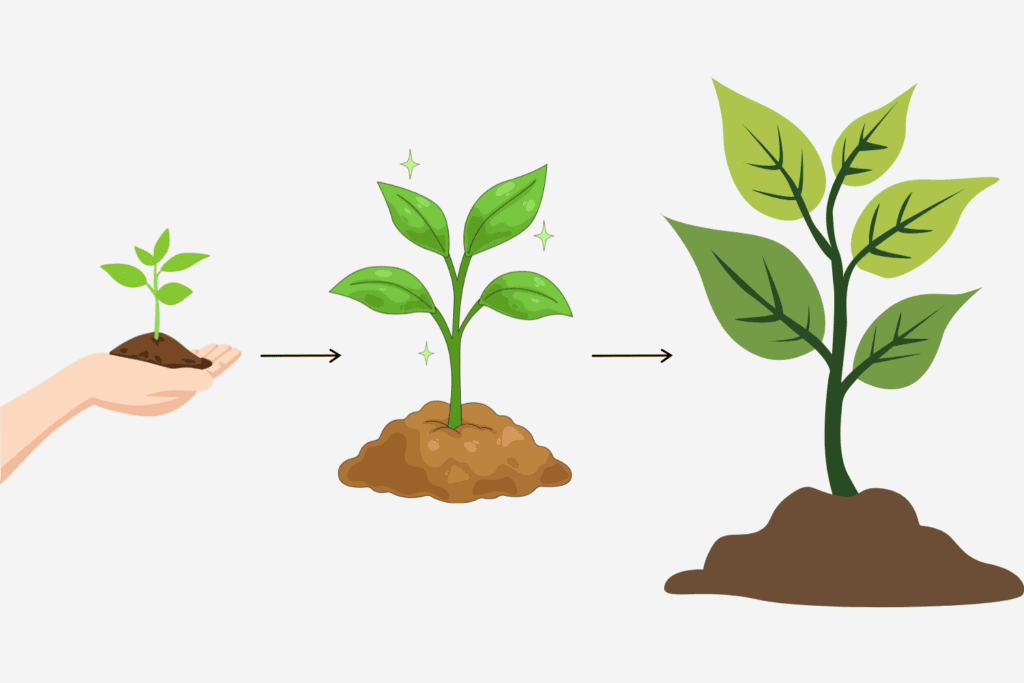
Start Small → Learn → Invest
The most important lesson is: Don’t confuse spending money with building a business.
1. Your Domain
Your domain is your website’s address.
For example: smilegrows.com
A domain is one of the unavoidable costs if you want your own professional website. The price varies depending on the domain extension, registrar, promotions, and whether the domain is already owned by someone else.
I wouldn’t obsess over finding the perfect name. Choose something memorable, easy to spell, and flexible enough to grow.
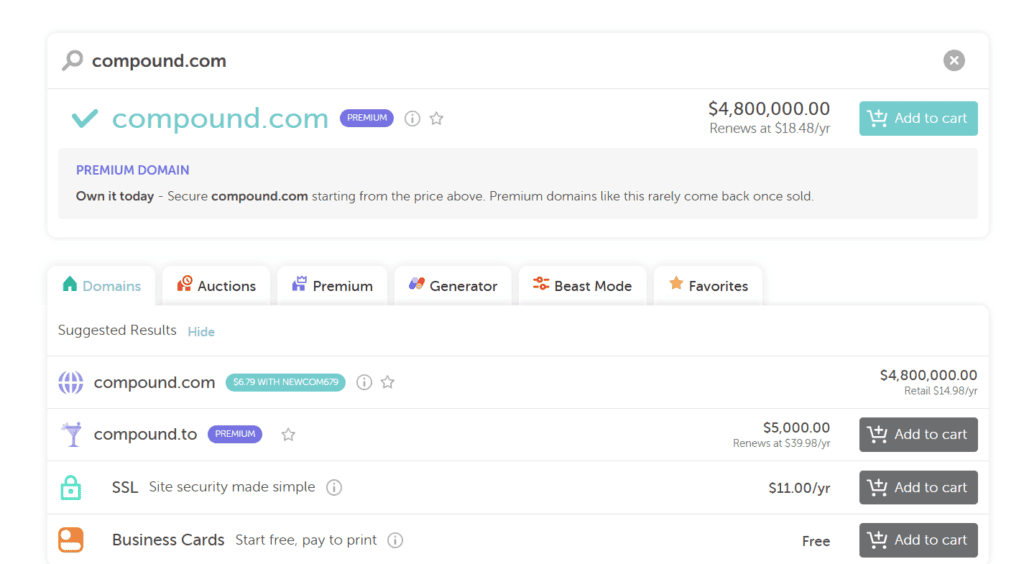
Some domain names are great, but too expensive for startups.
A domain is usually the smallest line item on this entire list, so it’s not the place to overthink your budget.
What I’d Budget
For a normal domain, think in terms of a relatively small annual expense rather than a major startup investment.
The exact price depends on the extension and provider, so check the current price before purchasing.
2. Web Hosting
Hosting is where your website’s files live. This is one expense I would prioritize because your hosting affects the basic foundation of your website.
For SmileGrows, I use Hostinger.
I chose it because I wanted a beginner-friendly setup and a hosting environment that worked well with WordPress.
If you’re starting a new blog and want to use Hostinger too, my referral link currently gives new customers 20% off eligible hosting purchases. Get 20% off Hostinger with my referral link
If you’re comparing plans, don’t only look at the introductory price.
Check:
- Renewal price
- Contract length
- Storage
- Website limits
- Backups
- Support
- Performance features
- Included services
I’ve written a separate review based on my own experience:
[Hostinger Review for Beginners: Is It Worth It for Starting a Blog?]
And if you’re still deciding whether you should use Hostinger or another provider, start with the broader guide:
3. WordPress
This is one of the pleasant surprises for beginners: You don’t necessarily need to buy WordPress itself.
The software can be used as the foundation of a self-hosted website, while your main expenses come from hosting and optional services.
Once WordPress is installed, you can start building your website.
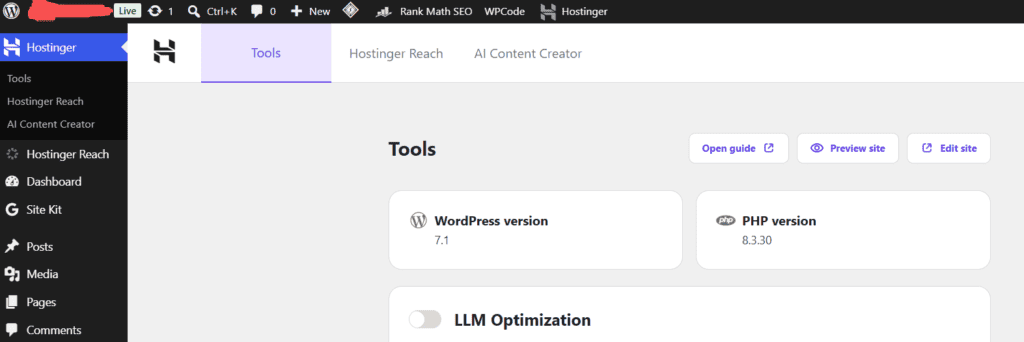
I think the free version of WordPress is sufficient for the initial stage. Whether to pay later depends on the development of your website and your needs.
4. Your WordPress Theme
A theme controls much of your website’s appearance and layout. There are free themes and paid themes.
When I first started working on websites, I understood the temptation to keep searching for a better theme.
There’s always another one.
But here’s what I’d suggest: Choose a clean theme that does what you need and move on to creating content.
A beautiful theme won’t compensate for weak articles.
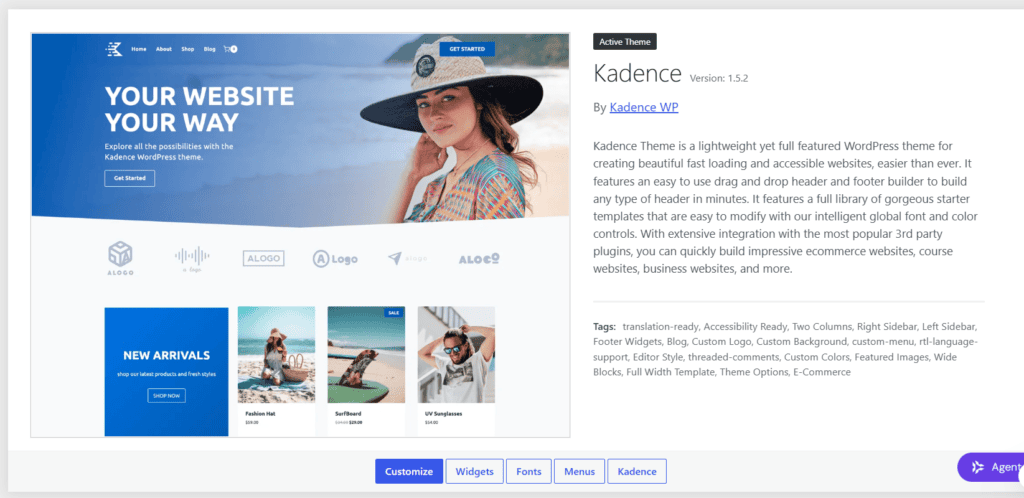
I like using the Kadence theme; it’s simple, elegant, and clear.
5. Plugins
Plugins add functionality to WordPress.
You might eventually need plugins for:
- SEO
- Forms
- Security
- Performance
- Analytics
- Ecommerce
- Backups
- Cookies and privacy
But you don’t need to install every plugin you see recommended online. I’ve learned to ask a simple question before installing one:
What problem is this plugin solving?
If I can’t answer that clearly, I probably don’t need it.
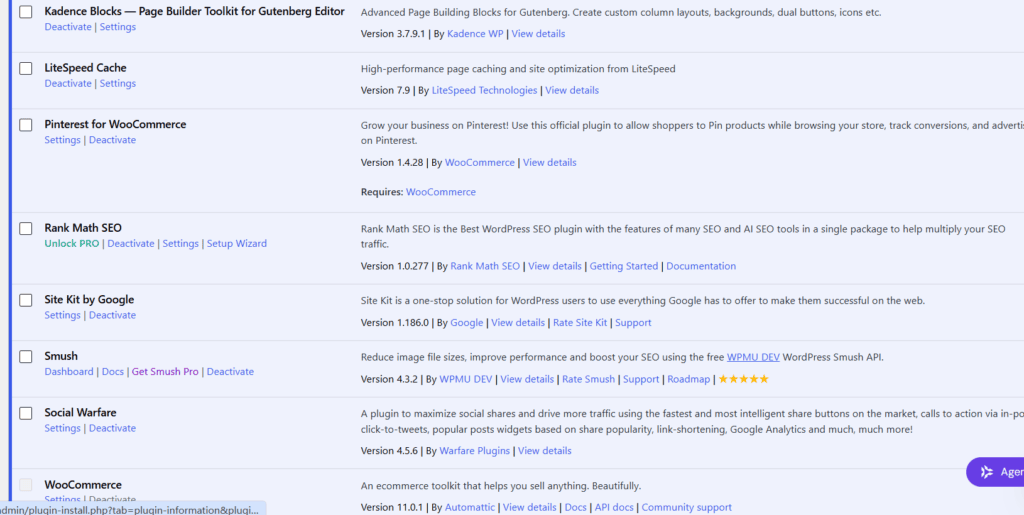
Some plugins I used in the early stages of building my website
6. Design Tools
You may also want tools for:
- Blog graphics
- Pinterest images
- Social media content
- Infographics
- Featured images
Canva is one example.
But again, you can start with a very simple design workflow. You don’t need a giant library of premium templates before publishing your first article.
7. SEO Tools
This is another area where expenses can get out of control. There are excellent paid SEO platforms, but a new blogger doesn’t necessarily need several of them immediately.
Start with:
- Google Search Console
- Google Analytics
- Basic keyword research
- A sensible SEO plugin
- Your own understanding of search intent
Then invest in paid tools when you understand why you need them. One thing I’ve learned from working on SmileGrows is that tools can make research faster, but they don’t replace judgment.
8. Email Marketing
An email list can eventually become an important part of your blog business. But you don’t need a complicated automation system with dozens of sequences on your first day.
Start simple.
You need:
- A signup form
- A way to store subscribers
- A useful reason for someone to subscribe
- A basic welcome email
Build from there once you understand what your readers actually want.
9. What About Courses and Coaching?
This is where I’d be careful. When you tell people you want to start a blog, you’ll quickly discover a huge industry selling: “The exact blueprint.”
Some resources are genuinely useful. But you don’t need to buy five blogging courses before publishing your first article. I’d rather spend money after identifying a specific problem.
“I don’t understand technical SEO” is a much better reason to buy a specialized resource than “I bought another course because I was afraid I was missing something.”
10. A Simple Blogging Budget
Instead of one universal number, I prefer three levels.
Minimal Setup
You pay for the essentials:
- Domain
- Hosting
- Free WordPress theme
- Free/basic plugins
- Free analytics tools
Comfortable Beginner Setup
You may add:
- Premium theme or design tools
- Email marketing
- Selected premium plugins
- Occasional paid research tools
Growth Setup
You may eventually add:
- Advanced SEO software
- Better email automation
- Premium design tools
- Additional software
- Freelancers
- Content support
The important part is that you don’t need the third category to begin.
11. What I Would Spend Money On First
If I were starting from scratch again, I’d prioritize reliable hosting, a good domain, a clean website, and useful content, in that order.
Then I’d invest in tools only once they solved a real, specific problem. I wouldn’t spend hundreds of dollars simply to make a new website “look established,” because your first 20 articles will teach you more about your website than your first 20 plugins ever will.
12. What I’m Doing With SmileGrows
I’m deliberately building SmileGrows in stages. I’m not trying to buy every tool first and then figure out what to do with them.
Instead, I’m building the system piece by piece: The order is website, then content, then SEO, then traffic, then audience, then monetization, and that order matters.
You can spend $1,000 on a website that nobody visits. Or you can start with a relatively simple setup, learn what your audience actually needs, and invest as the business develops. I’d choose the second approach.
So, How Much Do You Really Need?
There isn’t one correct number. You can start lean. You can spend more if you want more convenience.
But the important question isn’t: “How little can I spend?”
It’s: “What spending actually helps me build something useful?”
That’s a much better question.
And if you’re still at the stage of choosing your hosting and setting everything up, my next guide walks through the process step by step:
[How to Start a Blog in 2026: A Step-by-Step Guide for Beginners →]
If you’re specifically considering Hostinger, you can also read my hands-on review:
[Hostinger Review for Beginners: Is It Worth It for Starting a Blog?]